Many houses, kept apart
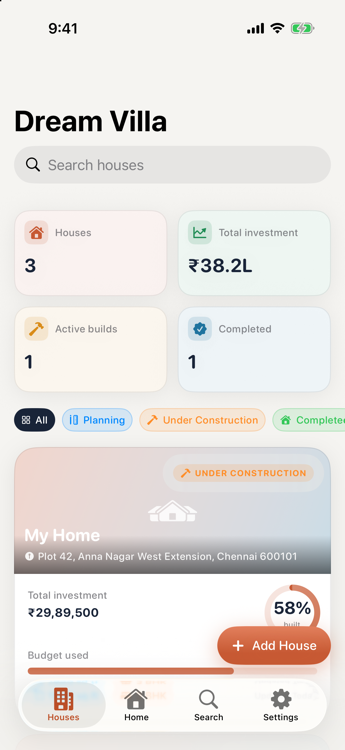
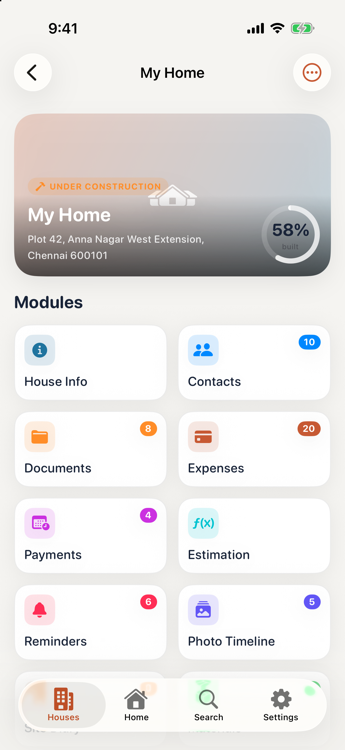
My Home, the farm house, the rental, the apartment you're still deciding on. Each carries its own budget, contacts, documents and history — nothing bleeds between them.
Building a house means a hundred numbers, fifty phone numbers and a shoebox of receipts. Dream Villa keeps all of it in one place — from the first cost estimate to the borewell service you booked eight years later.
Not a note-taking app with a house theme. Every field, category and calculator is the one you'd actually reach for on site.
My Home, the farm house, the rental, the apartment you're still deciding on. Each carries its own budget, contacts, documents and history — nothing bleeds between them.
₹12,45,000 reads as ₹12.45L, not $1.2M. GST fields on every expense, cost per sq.ft computed as you go, and seven currencies if you need another.
Twenty contact categories, from structural engineer and mason to sand supplier, borewell and CCTV vendor. Call, WhatsApp or share a card in one tap.
The waterproofing warranty expires in year seven. The geyser was bought in March 2021. Dream Villa remembers, and reminds you before the cover runs out.
Real screens, real numbers — every screenshot below is the app running on an iPhone.
Expense tracker
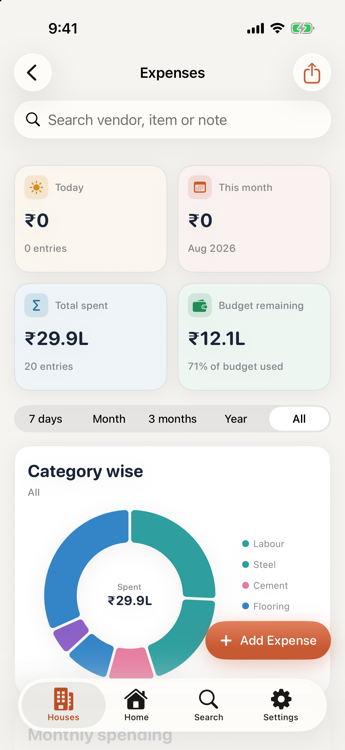
Log a cement delivery in fifteen seconds — amount, category, vendor, payment mode, GST, a photo of the bill. Everything after that builds itself.
Estimation
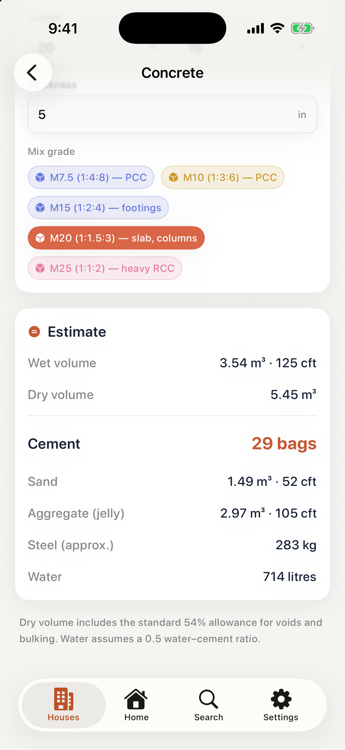
Work out what to order before you ring the supplier. Concrete uses the standard 1.54 dry-volume allowance and real nominal mixes; steel uses the d²/162 rule; the staircase checks 2R+T for comfort.
Reports
Seven reports, drawn page by page rather than dumped as a table — headline figures, share bars, zebra-striped rows and a footer on every page.
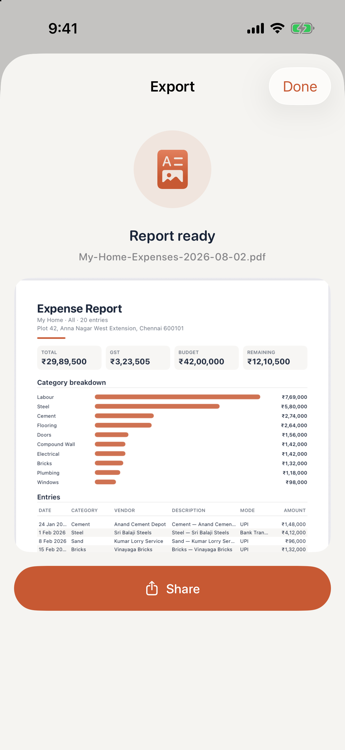
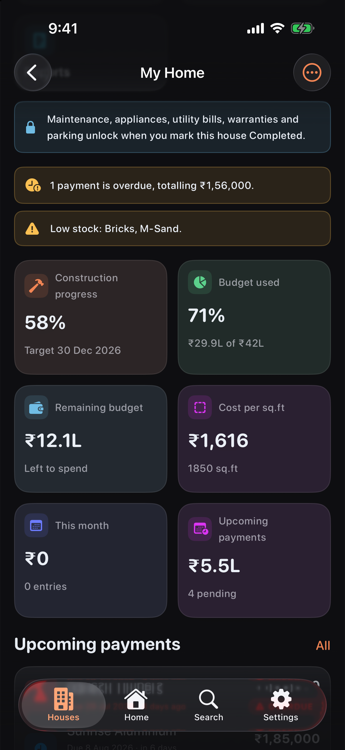
Mark a house Completed and nothing needs configuring. Five maintenance modules unlock, the house moves into the Home tab, and the whole construction record steps aside into its own page — one tap away, out of your way.
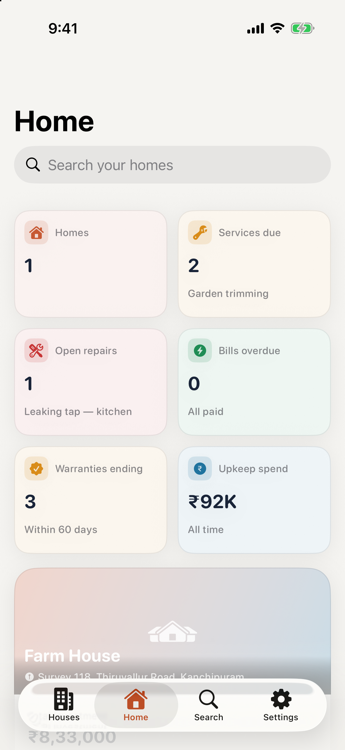
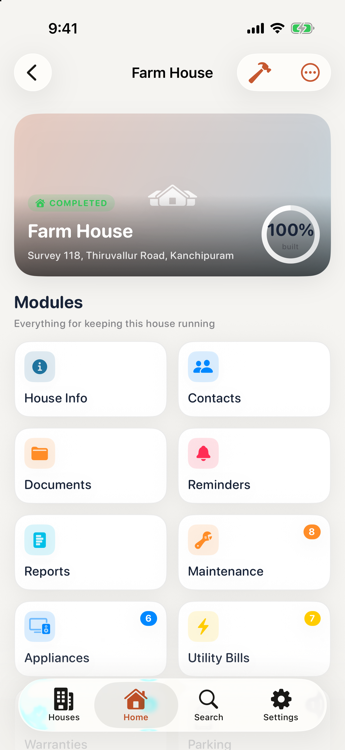
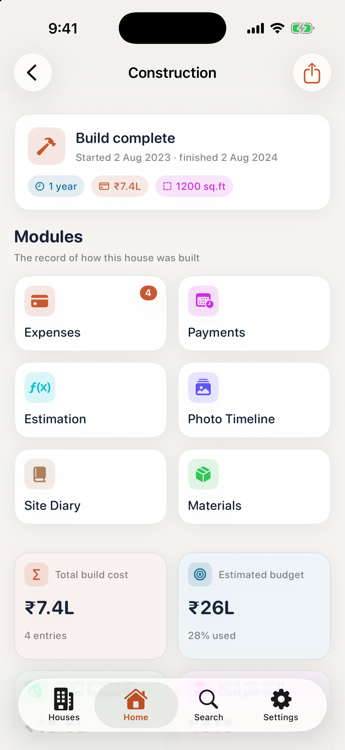
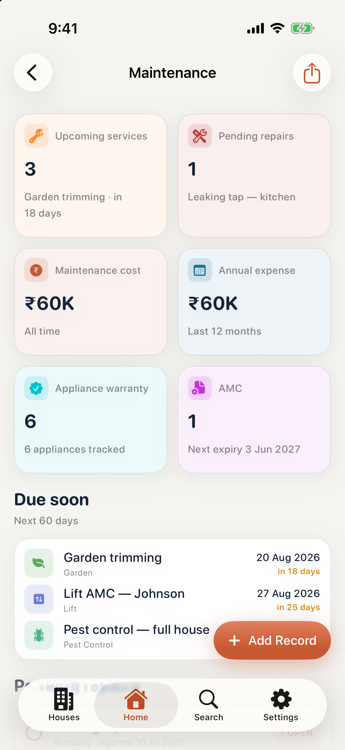
Both halves stay reachable. Every expense, photo and diary entry from the build is still there in full — sixteen modules in total. Completing a house only decides which ones greet you first.
Each one is a proper screen with its own summary, filters, search and export — not a settings row.
Privacy
There is no account to create and no server to sign in to. Dream Villa makes no network requests at all — so your deed scans, vendor numbers and what you paid for steel stay exactly where you put them.
Records live in a local database inside the app's private container; photos, PDFs and voice notes sit alongside as files. While your device is locked, iOS file-level encryption applies.
No tracking, no crash reporting, no advertising, no SDKs. The developer cannot see your data because the developer never receives it.
Export everything as a single .dreamvilla file, optionally with
every photo embedded. Where it goes — Files, iCloud Drive, AirDrop — is
entirely your call.
An optional passcode is stored only as a salted hash — never the digits. Face ID or Touch ID unlocks it, and the app hides its contents whenever it goes to the background.
Phase 1 is complete and running. These are the things it deliberately does not do yet.
The calculators are planning estimates, not engineering. They use industry thumb rules, and rates vary a lot by city and finish. Confirm quantities with a qualified engineer or architect before you order materials or build.
One device, one copy. Moving to a new phone means exporting a backup and restoring it. CloudKit sync is planned, and it will be opt-in.
You can share individual contacts, documents and reports, but two people can't keep the same house up to date together. That's Phase 2.
You attach a photo of the bill and enter the amount yourself. OCR scanning and automatic categorisation are on the list, not in the app.
Site diary recordings play back but aren't turned into text yet. Widgets, Siri Shortcuts and Live Activities are also still ahead.